
Features: AI workflows, agents and knowledge without developers
A platform for operational AI use: from chat with tools to recurring workflows and a knowledge base with sources, all the way to your own AI endpoints, operated sovereignly from Austria.
Habicht is a platform where business teams build recurring AI workflows themselves: with a visual builder, no code. From chat through multi-step workflows and AI agents with tools to a knowledge base with sources and your own AI endpoints. Fixed steps, checks and approvals instead of an open chat.
Analyse large Excel files exactly.
Even very large Excel files with many worksheets are processed in full, not just an excerpt. The assistant runs a query against the file and uses the result instead of estimating in the text. That is how it calculates exactly with times, dates and numbers. The file itself remains unchanged.
- Every sheet, every rowSums, counts and comparisons across the whole file, including across several worksheets.
- Times stay times07:30 is read as 07:30, not as a decimal number. The same goes for dates.
- VerifiableOn request, the assistant names the sheet and row a value is based on.
In the video: 5 worksheets · 7,894 rows · start, end and break per entry
Workflows & apps: clicked together, not coded.
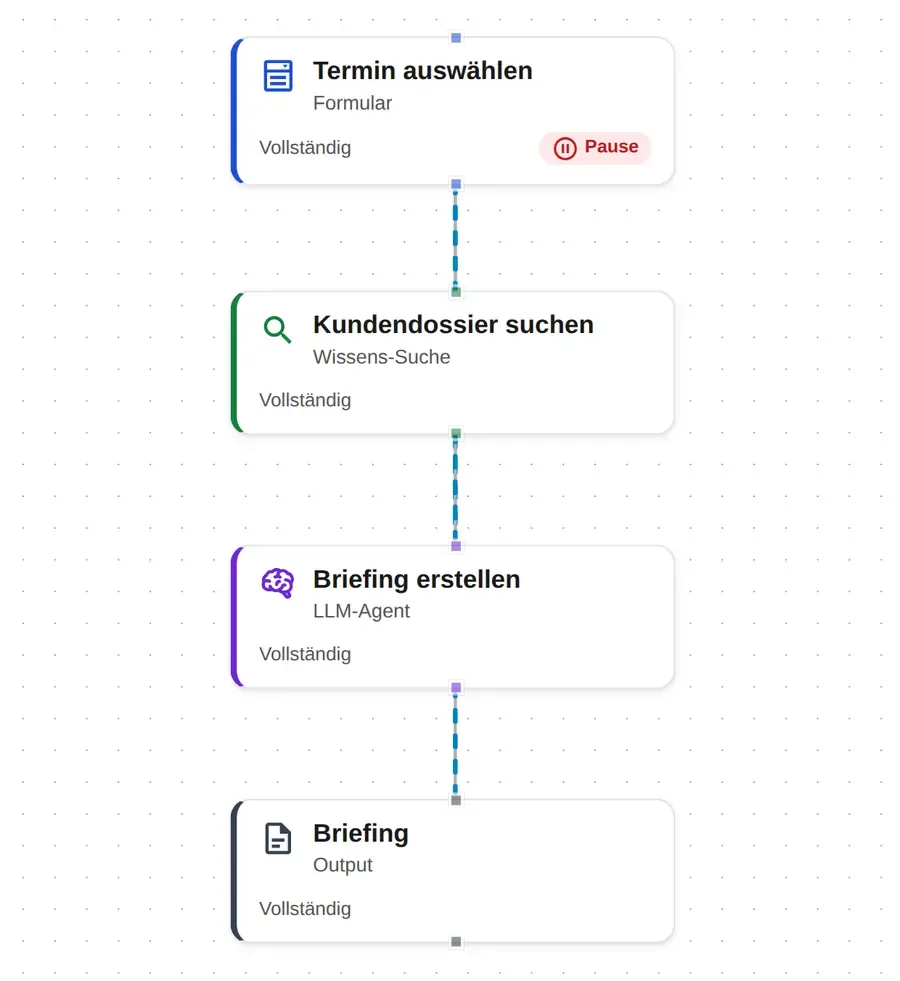
Build once, everyone uses it: form → read document → search knowledge → review → approve, clicked together in a visual editor. An AI co-author suggests steps and fields but never applies anything automatically. Ready-made templates and an internal catalogue that only holds approved apps.
- FormInput
- Read documentProcess
- Search knowledgeEnrich
- ReviewControl
- ApproveResult
An assistant that does everything does nothing well.
A Habicht assistant is not a single prompt trying to do everything at once. It consists of steps that share the work: one reads the document, one checks it against your rules, one writes the result, one obtains approval. Every step is individually traceable and individually auditable. That is exactly why every result can be checked before anyone uses it, and exactly why a chat window is not a process.
For technical stakeholders: corresponds to mixture-of-agents patterns; steps can be versioned and logged individually.
Knowledge base with sources, down to the PDF page.
Answers rely on your own documents, with sources down to the right page in the PDF. Upload files (incl. text recognition), connect websites and SharePoint/OneDrive, and control fine-grained who may see what, with a “who sees what” preview.
Every answer with its source, down to the page in the PDF.
Every system gets access to your knowledge and your tools.
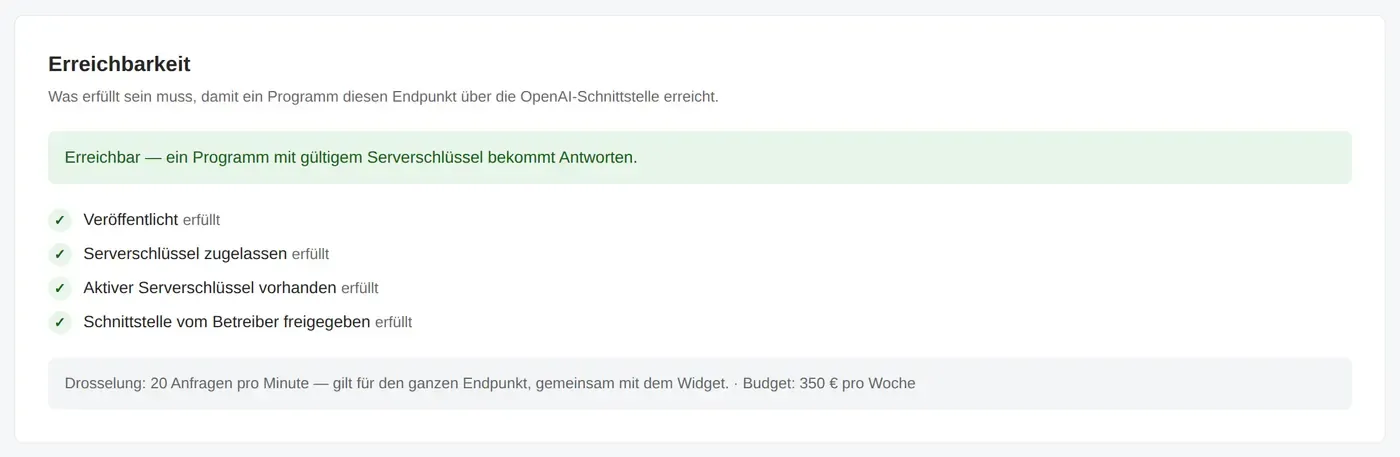
Every published endpoint comes with an OpenAI-compatible interface. Whether CRM, ERP, ticketing system or your own application: the connected system uses your assistant’s knowledge base and tools through it, without custom code.
- CRM
- ERP
- Ticketing system
- Your own application
- Chat widget on your website
Address + key- Just swap address and keyPrograms that already talk to the OpenAI interface work without changes.
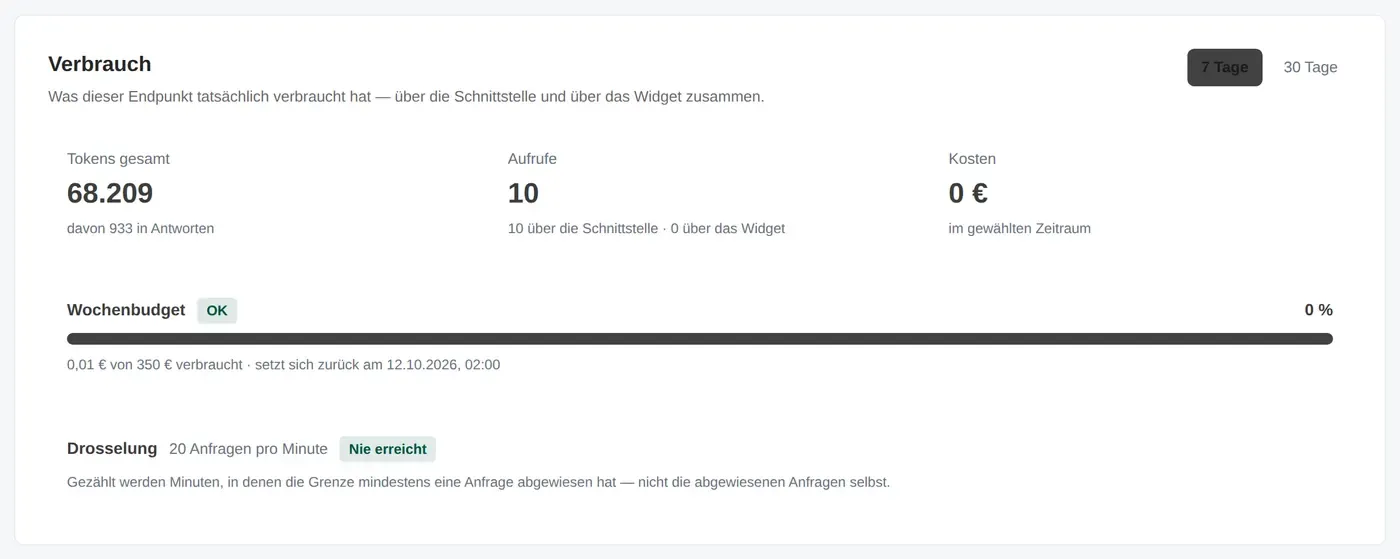
- Usage and diagnostics per endpointTokens, calls and weekly budget at a glance. If the interface does not respond, the diagnostics state the reason in one sentence.
- The same permissions and records as internallyThe endpoint only sees what you release. You connect external tools via open standards such as MCP.
- Also as a chat widgetThe same endpoint can be embedded in your website as a chat widget.
from openai import OpenAI

client = OpenAI(
    base_url="https://habicht.example/v1/endpoints/muster-gmbh/service-assistent",
    api_key="YOUR_SERVER_KEY",
)

answer = client.chat.completions.create(
    model="service-assistent",
    messages=[{"role": "user", "content": "By when must the travel expense report be submitted?"}],
)
print(answer.choices[0].message.content)
Address and key are placeholders. You copy the real address from the “OpenAI API” tab of the endpoint.
More features at a glance
An assistant that remembers.
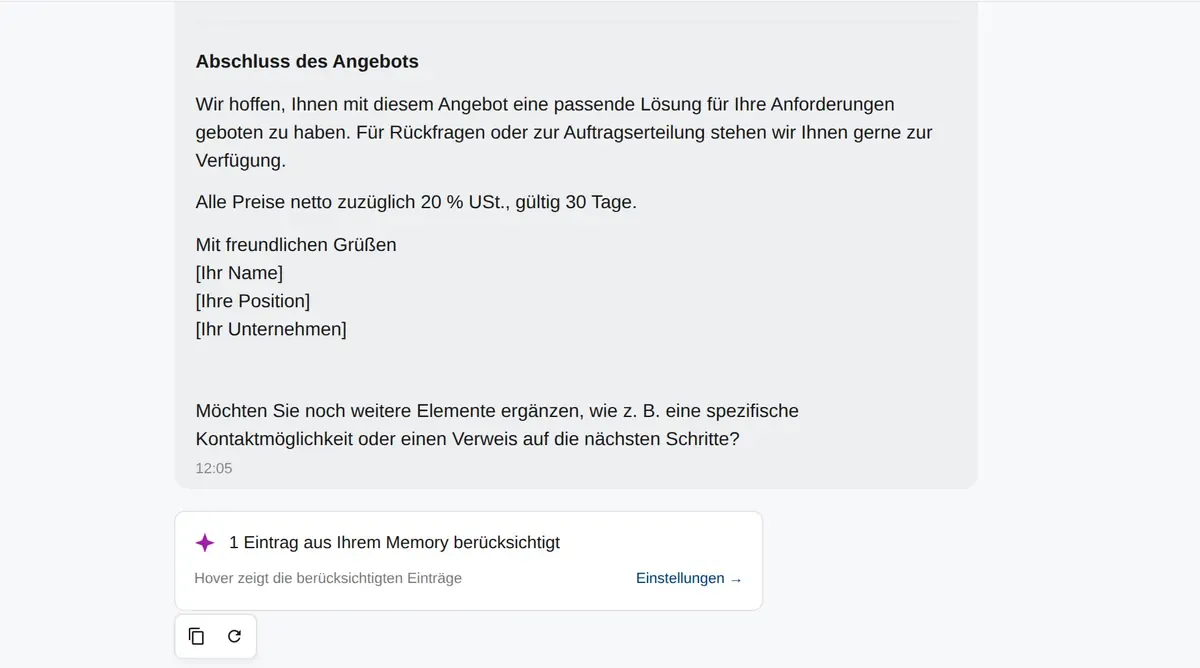
Ask the assistant to remember something and it stores it and uses matching notes in later answers. The answer shows which notes it took into account. Notes unrelated to the question stay out, deleted notes stay deleted. Whether it may remember anything is up to each person in their own settings.
Not every task needs the largest model.
In Habicht you decide per work step which AI model does the computing, and where it computes. The step that reads the client file runs on the local model on your own premises; the step that turns it into a standard letter may use a larger model in the EU. Sovereignty becomes something you set per step instead of once for the whole company. As a side effect, costs go down, because a small model is enough for simple tasks. And when a better model appears, you swap it in: the workflow stays as it is.
For technical stakeholders: model routing at step level, OpenAI-compatible interface, external tools connected via MCP.
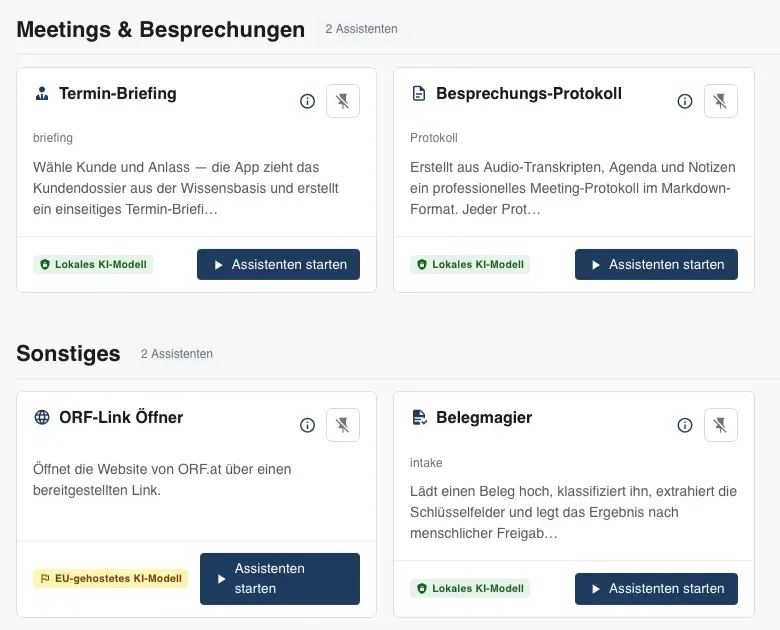
Chat and AI agents that operate tools.
Questions in natural language, answers with sources. AI agents can connect tools and carry out tasks in multiple steps. Before risky actions the system asks back. Control stays with the human.
SSO, white-label and three operating models.
Sign-in via SSO (Microsoft 365, OIDC, SAML), white-label look, operation on-premise, hybrid or in the EU cloud.
Data protection & complianceThree examples from practice
Read client files, check against internal templates. Confidentiality stays preserved.
Pre-sort applications in a structured way, with evidence and processed sovereignly in the EU.
A consistent quote from key figures in your company layout, with approval.
See Habicht in your own environment.
A short demo, tailored to your use case.